

At Travala, we’re bringing together the best of both worlds: the excitement of travel and the innovation of blockchain. When booking your next travel adventure, you can now pay using crypto, traditional currencies, or both. Add in the AVA Smart Program and Web3 wallet integration, and you’ve got a truly next-generation travel experience.
But as amazing as blockchain technology is, it also puts more control and responsibility in your hands. Security isn’t just something we handle for you, it’s something we do together.
So here’s a quick guide to help you travel smarter, safer, and more confidently in the Web3 era.
1. Strengthen Your Travala Account 🏰
Your account is your personal gateway to a world of travel options. Keeping it secure is the first step toward a worry-free experience.
- Start with a strong password. Avoid reusing old passwords or using easy-to-guess information like birthdays, pet names, or simple patterns. A strong password should be:
- At least 12–16 characters long
- Include uppercase and lowercase letters, numbers, and symbols
- Not a real word or phrase that appears in the dictionary
- Example of a weak password: travala123
- Example of a strong password: D$7xKp!r8wLq2Zb#
If that sounds hard to manage, use a password manager. It can generate and store secure passwords for you, so you only have to remember one master password.
- Turn on Two-Factor Authentication (2FA). Think of this as your digital lock and key. Even if someone guesses your password, they can’t log in without the unique code generated on your phone. Apps like Google Authenticator, Authy, or 1Password make this simple and quick to set up.
How to Enable 2FA on Travala 🔐
Follow these simple steps to add an extra layer of protection to your account:
1. Log in to your Travala account.
2. Click on your profile icon in the top-right corner and select Account Settings.
3. Go to the Security tab.
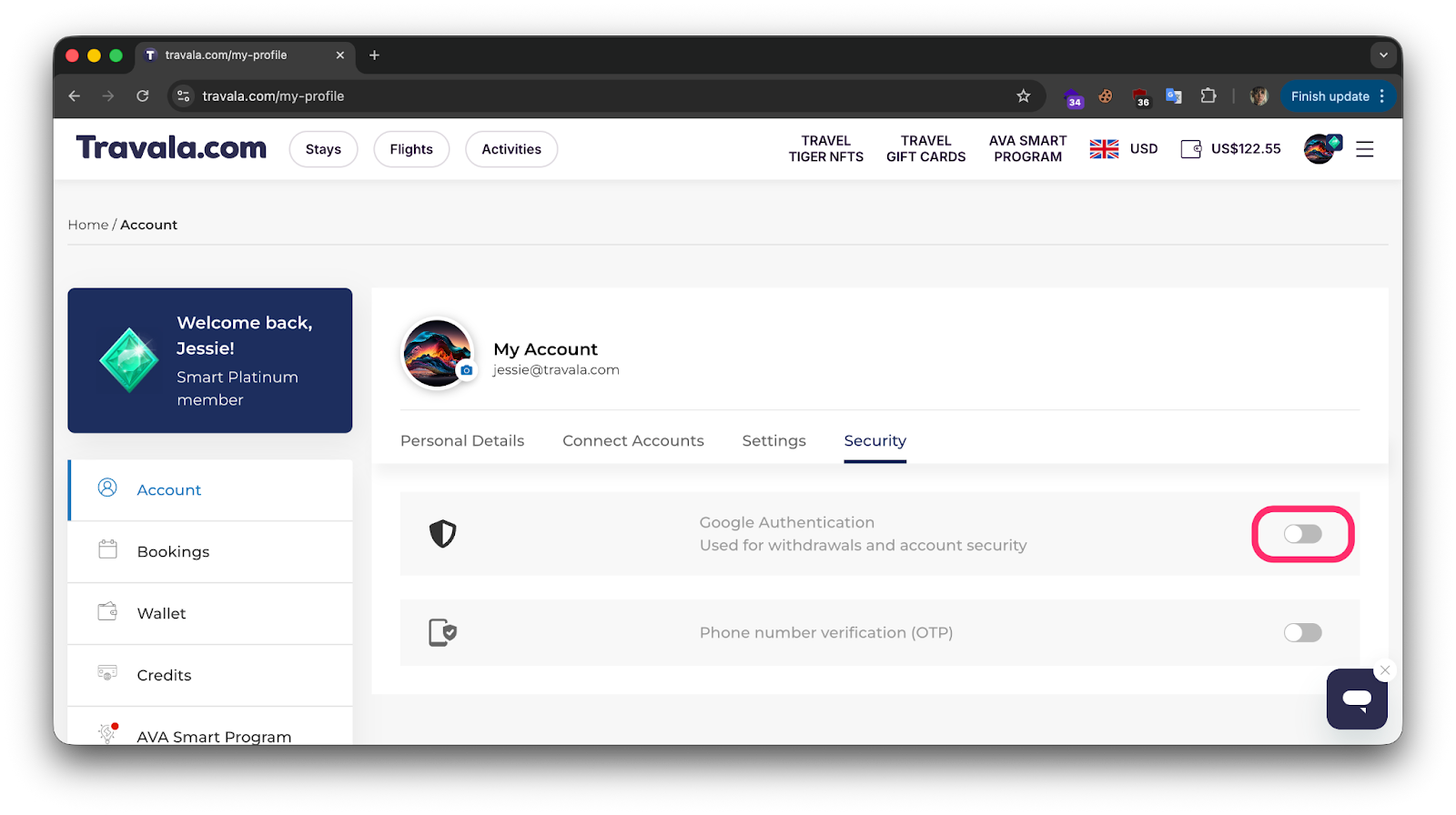
4. Under Two-Factor Authentication (2FA), click Enable.
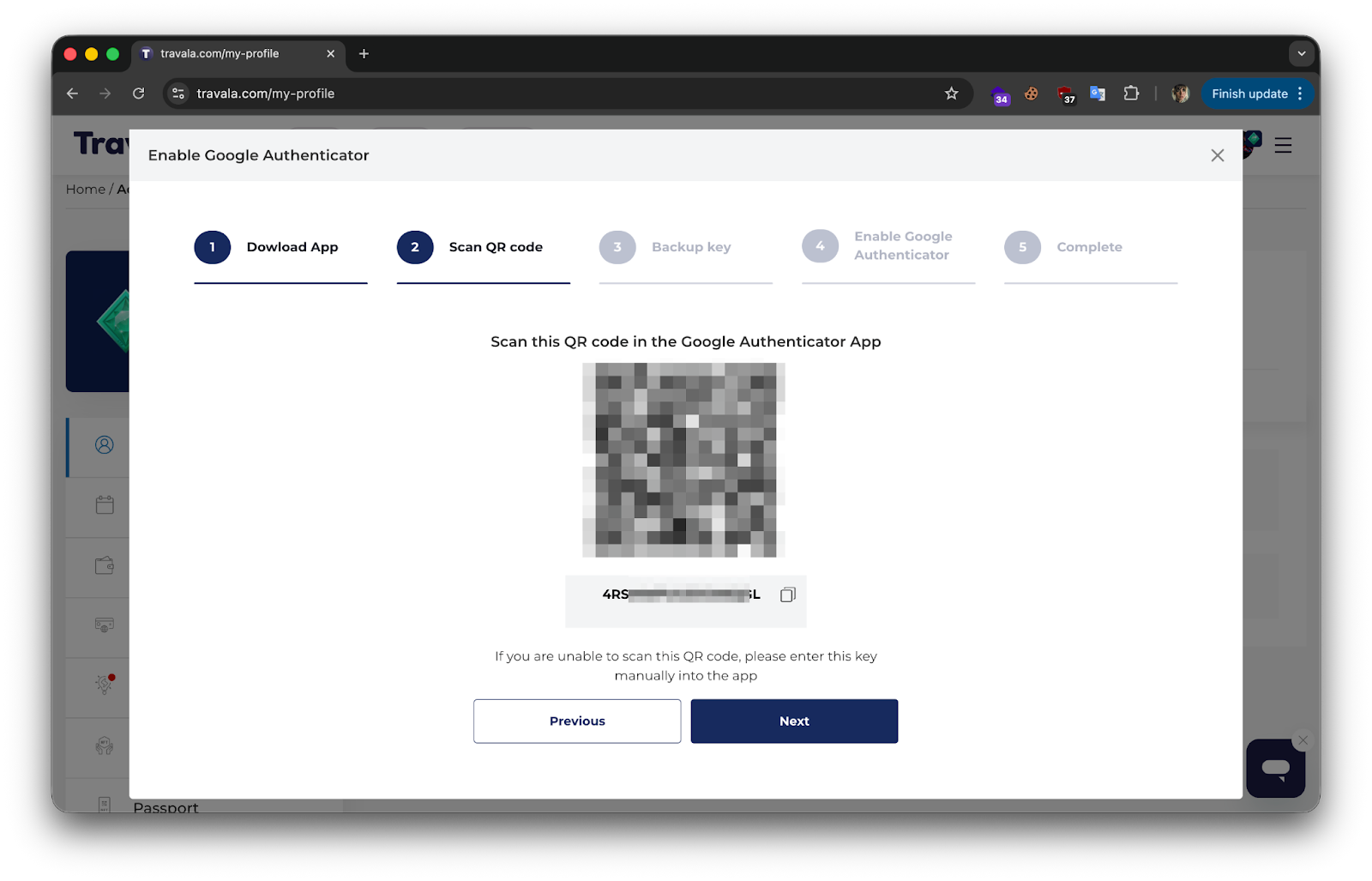
5. Open your authentication app (Google Authenticator, Authy, etc.) on your phone.
6. Scan the QR code displayed on the Travala page using your app.
7. The app will generate a 6-digit verification code — enter it into the Travala prompt.
8. Click Confirm to complete setup.
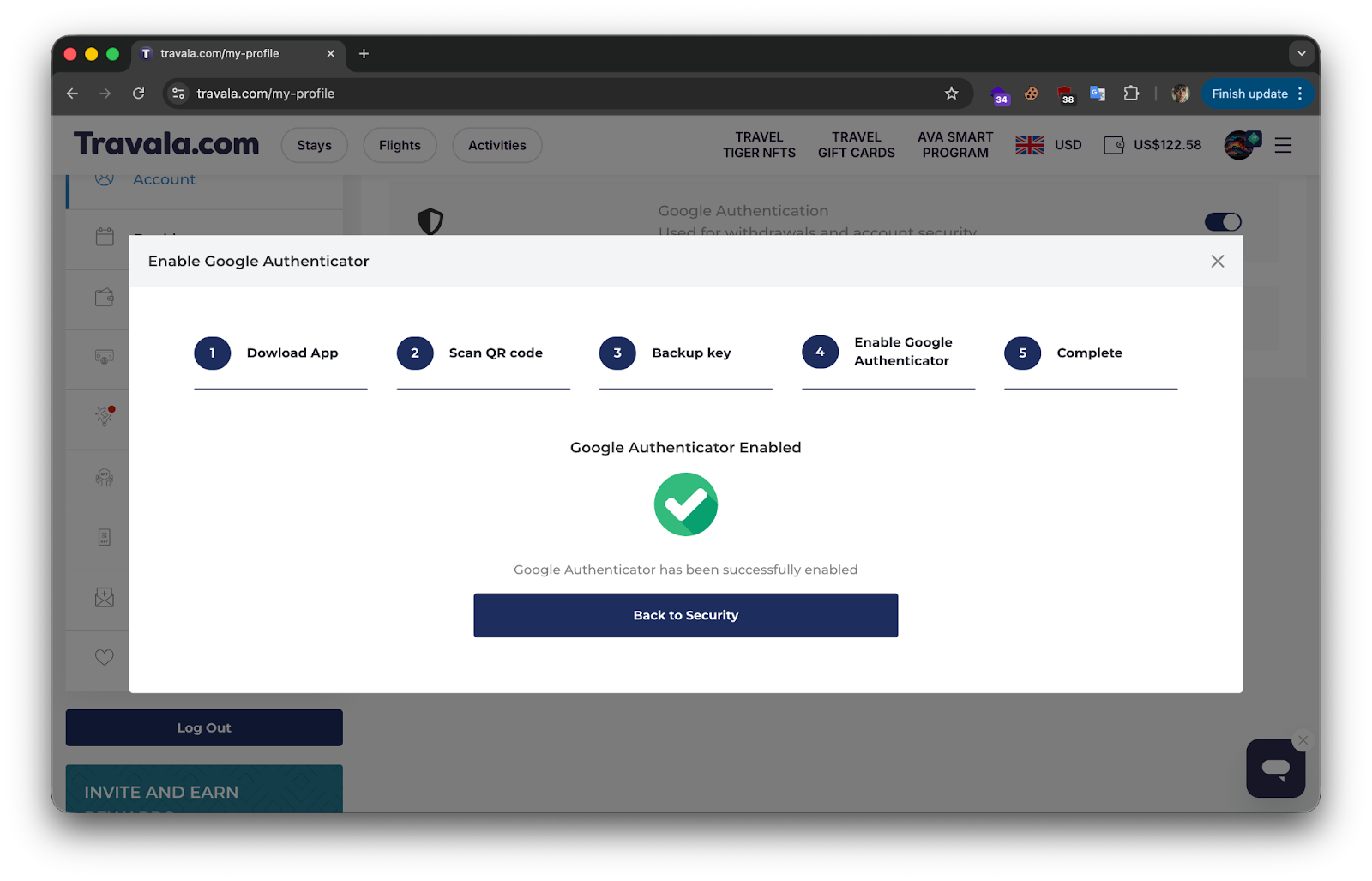
From now on, every time you log in, you’ll need both your password and the time-based code from your authenticator app, keeping your travel adventures safe from unauthorized access.
2. Protect Your Crypto and Web3 Wallet 🛡️
Connecting a decentralized wallet gives you total control over your crypto payments. That’s empowering, but it also means you’re in charge of protecting it.
- Guard your seed phrase and private keys. These are the master keys to your wallet. No one from Travala will ever ask for them, not through email, chat, or social media. If someone does, it’s a scam. The safest option is to write your seed phrase on paper and store it in a secure, offline location.
- Use the official website only. Always check that you’re on https://www.travala.com before logging in or connecting your wallet. Fake websites that look almost identical to the real one are a common trick. The easiest protection? Bookmark the official site and use that link every time.
💡 Travala Tip: Double-check every transaction. Before you hit “confirm,” make sure the wallet address and amount are correct. Blockchain transactions can’t be reversed, so it’s worth pausing for a second look.
3. Stay Alert to Phishing and Scams 🎣
Online scams are getting more sophisticated, but a few simple habits can keep you ahead of them.
- Stick to our official channels. Travala communicates only through our official website, verified emails, and social accounts. If you get a private message on Telegram, Discord, or X (formerly Twitter) claiming to be from “Travala Support,” assume it’s fake until proven otherwise.
- Be skeptical of random offers. If someone messages you about giveaways, “exclusive airdrops,” or supposed account issues that require you to click a link, don’t. These are classic phishing tactics designed to steal your details.
- Remember this golden rule: We’ll never ask for your password, 2FA code, seed phrase, or private keys. Ever. If someone does, end the conversation, block them, and report it to our support team.
Travel Safe, Travel Smart 🌍
Security might not be the most glamorous part of travel, but it’s what lets you enjoy your trip with confidence, knowing your funds and data are protected.
At Travala, we’re building a safer, smarter, and more open travel ecosystem powered by blockchain. With these tips in mind, you’re not just booking a trip; you’re embracing a new way to explore the world securely.
So go ahead. Plan your next adventure, pack your bags, and travel the Web3 way safely and confidently. Happy travels! ✈️
